Spacefast has launched! Read our founder’s blog post

Spacefast for designers

Present it with Spacefast.

Your AI can make a clickable prototype, an interactive portfolio, or a style guide in minutes. Spacefast puts it in front of clients and teammates with one link.

See some ideas

What makes Spacefast review-ready?

One link through every round

Fix the spacing after round one and rework the flow after round two. Every republish updates the same link, so the invite never needs a new one.

Three browser windows stacked at the same address, designers-prototype.space.fast: rounds 2 and 3 behind, and round 4 in front under a banner saying round 4 is live and the invite still works.
Private until you present it

New spaces start private. Invite the team by email, or send the client a link that expires after the presentation.

The prototype blurred behind a lock, with a box saying this space is private and only your team can see it; then the lock clears, the screens come into focus, and the box says the client’s link was opened and expires after Thursday’s presentation.

Go back to any round

Each change saves a version, so when the client prefers round one after all, you can restore it in a click.

The prototype’s rounds in a row like a dock, the live one first and more running off the edge, each of the first three growing in turn, with a Restore button on round one while it is the big one.

Comments on the exact screen

Reviewers leave notes right on the screen or the button they mean, not in a thread somewhere else. Handle them yourself, or hand them to your AI.

The prototype’s checkout screen with two comments pinned to it, Mia’s on the Pay button asking for more contrast and Sam’s on the header asking to drop the step counter, while their cursors move over the screen.

What will you present this week?

Open one, press Remix, and swap in your own screens and brand.

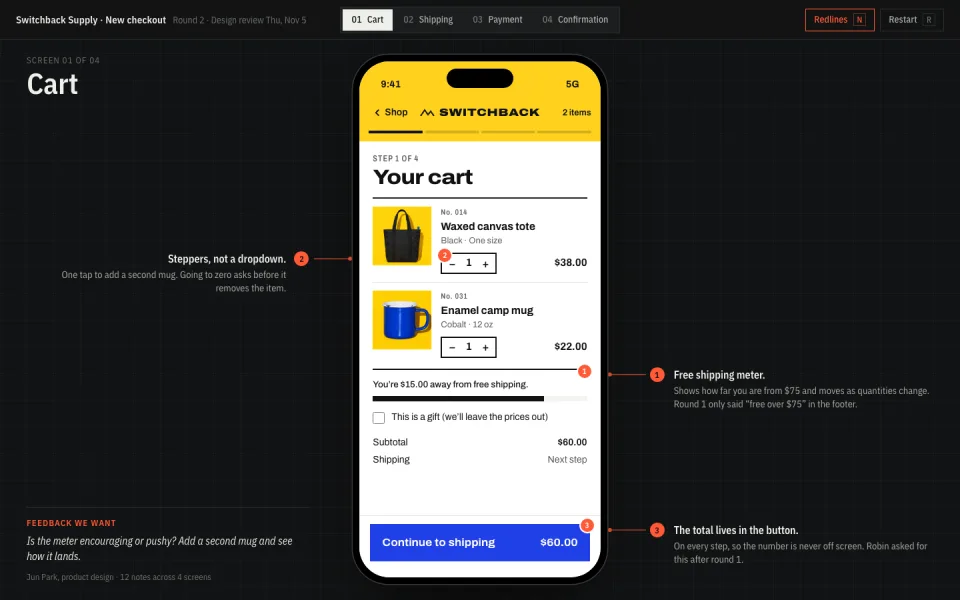
A mobile checkout that clicks through from cart to confirmation, shared with stakeholders who can comment on each screen.

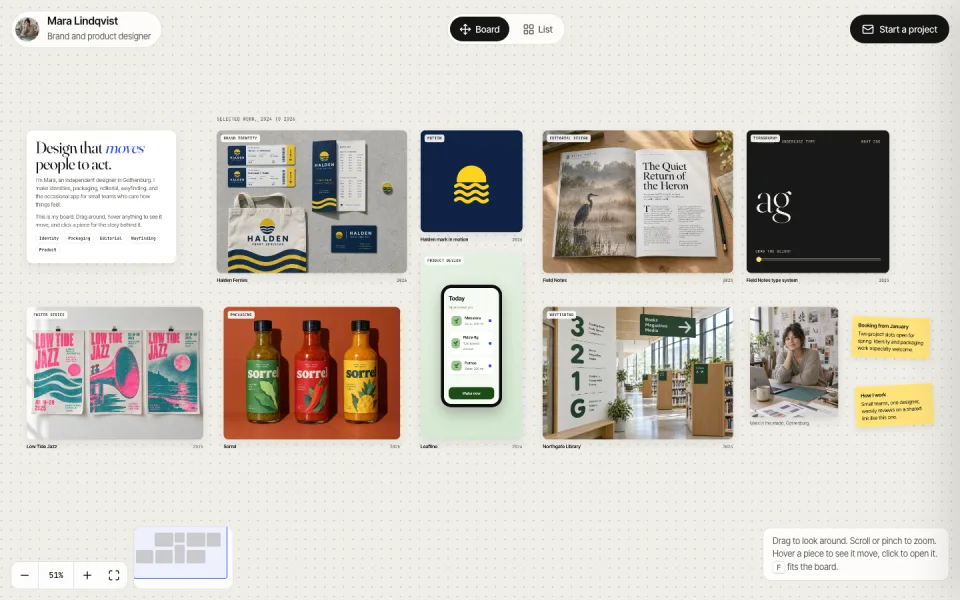
The work pinned on a board you can drag and zoom: hover a piece to see it move, then open one to walk through the problem, the process, and what shipped.

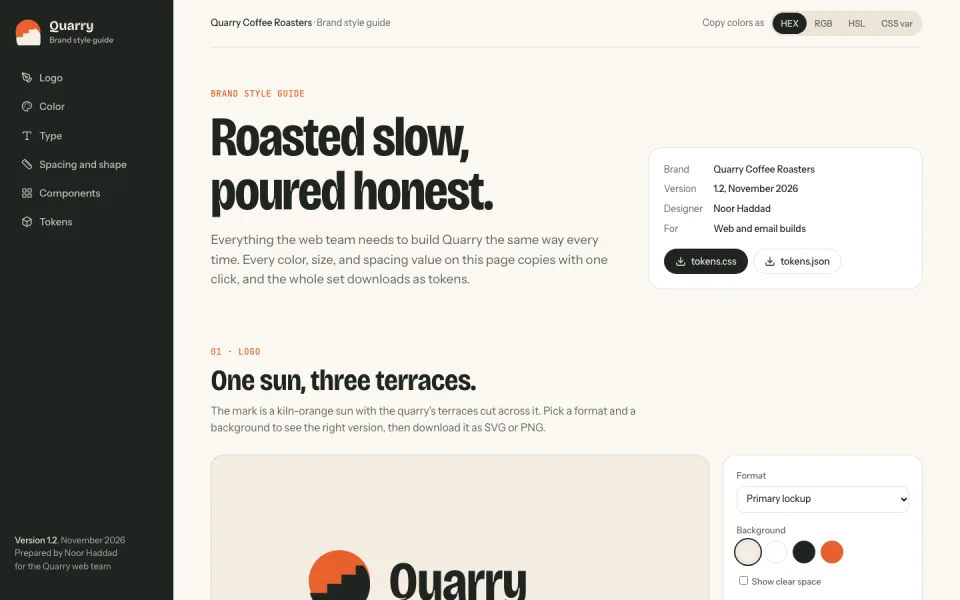
A coffee roaster's brand on one page: logo, colors, type, and spacing, with a copy button on every value and tokens to download as CSS or JSON.

Everything a design project needs

Every space comes with the pieces design work eventually asks for.

Built-in database

Every space has one. Use it for usability test answers, a waitlist, or feedback votes.

Traffic stats

See how many people opened the prototype before the review.

Your own address

Put your portfolio on your own domain. It’s included on every plan.

Take it with you

Download the files from any saved version and hand them to the developers.

Questions designers ask

Do reviewers need an account?

Not to view it. A share link opens in any browser. To leave comments, invite reviewers by email.

Is it a real prototype or a picture of one?

A real one. Your AI builds it as a working web page, so buttons click, forms fill in, and it runs on a phone or a laptop.

Can I keep unreleased work private?

Yes. New spaces start private. Share each one with an expiring link, invite people by email, or add a password.

Do I need an account to try it?

No. Publish without one and you get a live link plus a private claim link. Sign up to keep it. If you don’t claim it, we eventually take it down.

Make it with Spacefast.

Set it up yourself

Works with any AI