Spacefast has launched! Read our founder’s blog post

Spacefast for artists

Hang it on Spacefast.

Your AI can make a portfolio, a price list, or a commission form in minutes. Spacefast puts it in front of collectors with one link.

See some ideas

What makes Spacefast gallery-ready?

One link for your bio

Mark a piece sold on Saturday. Add the new series in March. Every republish updates the same link, so your bio, your cards, and your gallery emails never go stale.

Three browser windows stacked at the same address, artists-portfolio.space.fast: the winter and spring versions behind, and the current one in front under a banner saying the new series is up and the link in your bio still works.
Private previews for collectors

New spaces start private. Show a new series to your best collectors first with a link that expires, then make it public on launch day.

The new series blurred behind a lock, with a box saying this space is private and only you can see it; then the lock clears, the paintings come into focus, and the box says a collector opened the preview link, which expires in seven days.

Last season’s portfolio, back in one click

Try a new layout, a different hero piece, or new prices without worrying. Each change saves a version, so you can always go back to the one collectors liked.

The portfolio’s versions in a row like a dock, the live one first and more running off the edge, each of the first three growing in turn, with a Restore button on last season’s version while it is the big one.

Notes from your gallery, on the page

Invite a gallery owner or a curator to comment right where it applies. Handle the notes yourself, or hand them to your AI.

The portfolio with two comments pinned to it, Rosa’s on a painting asking to open the show with it and June’s on the price list asking to add framed sizes, while their cursors move over the page.

What will you hang this season?

Open one, press Remix, and swap in your own work.

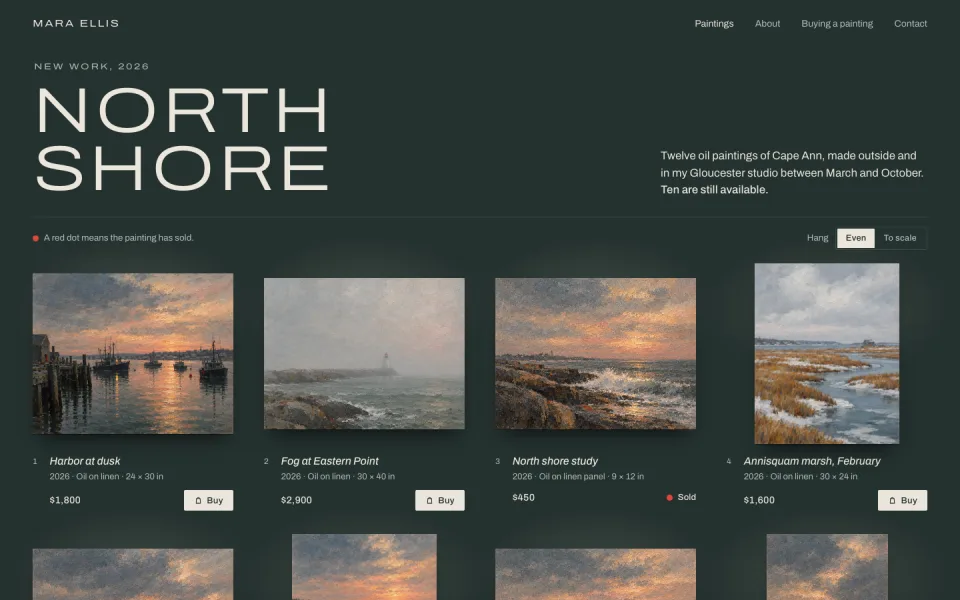
Twelve paintings in a grid with sizes and prices, and a Buy button on each one that opens its Stripe payment link. Sold pieces get a red dot.

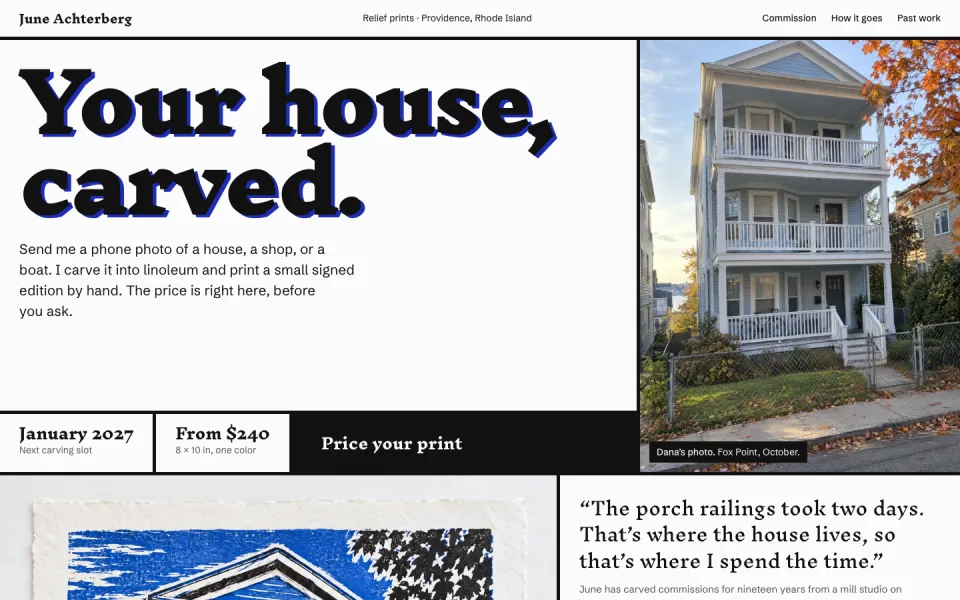
A linocut printmaker’s commission form. Collectors pick a subject, a sheet drawn to scale, and the inks, and see the price, edition, and lead time before they send photos. A real one saves requests in the Spacefast database.

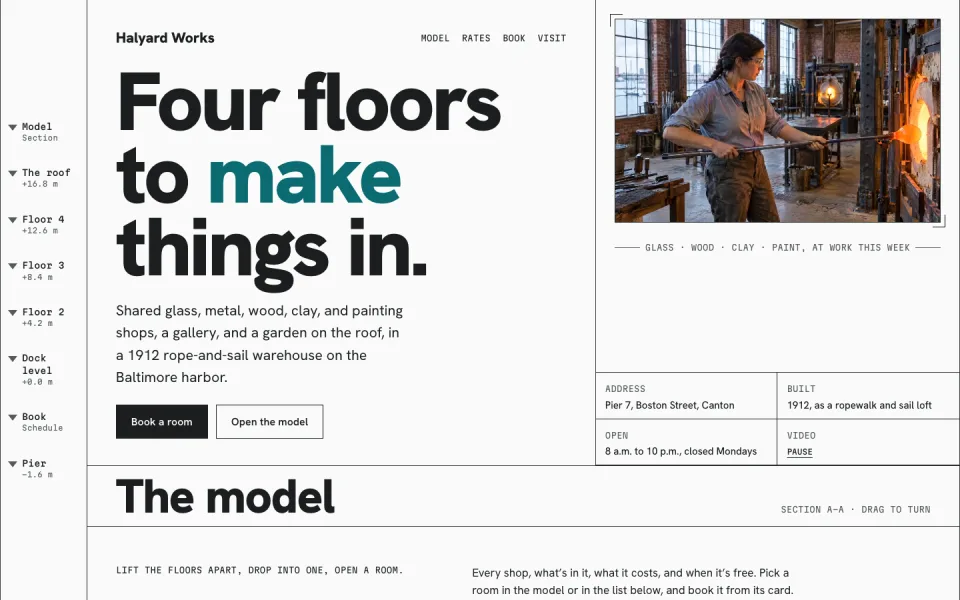
A waterfront warehouse of shared shops: tour every floor and room in a 3D model, see what’s in each one, and book a bench, a wheel, or a bay on a calendar built like WooCommerce Bookings.

Everything the studio needs

Every space comes with the pieces a working artist eventually asks for.

Built-in database

Every space has one. Use it for commission requests, a mailing list, or an edition count.

Traffic stats

See which piece people open most after you post it.

Your own address

Put your portfolio on your own domain. It’s included on every plan.

Sell with the checkout you already use

Put a Stripe payment link on each piece and the Buy button opens Stripe’s checkout. Payments go straight to your Stripe account, and Spacefast never touches the money.

Questions artists ask

Can people buy a piece right from the page?

Yes, with a Stripe payment link on each piece. The Buy button opens Stripe’s checkout, and the money goes to your Stripe account. Ask your AI to add the links when it builds the page.

Do collectors need an account?

No. Make the page public or send a share link, and anyone who has it can open it in a browser, with nothing to install or sign up for.

Can I show a new series to a few collectors first?

Yes. Keep the page private and send a share link that expires, or add a password. Make it public when the series launches.

Do I need an account to try it?

No. Publish without one and you get a live link plus a private claim link. Sign up to keep it. If you don’t claim it, we eventually take it down.

Make it with Spacefast.

Set it up yourself

Works with any AI